
MD
Mark Davies · Financemark.davies@To: Sarah Collins
Q3 payroll summary shared with you
Hi Sarah,
here’s the Q3 payroll summary we talked about.
to open the file.
Payroll summary Q3.xlsxSharePoint · Northfield Accountants
OpenThanks, Mark

Staff report a suspicious email with one click. A practice email counts as caught and moves to a Reported folder. A real one gets a private quick check that the reporter can send to their admins.
Click on whatever doesn’t add up in the email. Or press Report a Canary straight away.
Hi Sarah,
here’s the Q3 payroll summary we talked about.
to open the file.
Thanks, Mark
Anyone who reports a practice email now and then gets a mini-lesson: a drawn situation and one question, done in half a minute. Try it.
“A padlock / https in the address bar means a website is safe and trustworthy.” Myth or fact?
The same button works for every suspicious email, not only for practice. This is what happens after that.
The reporter sees which warning signs we found, and what we could not check. We never call an email safe.
The check is theirs alone. They send it to the admins, or say they already clicked, and the admins get one urgent email.
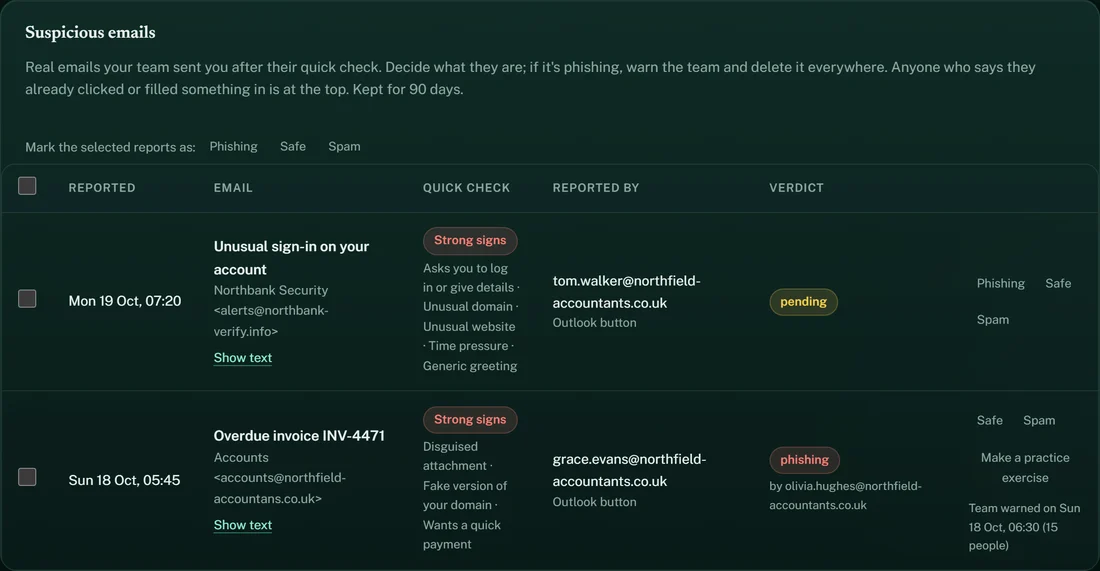
Phishing, safe or spam, one at a time or many at once, with the warning signs next to each one.
Confirmed phishing? Warn the whole team about that email, without naming who reported it. The reporter hears the verdict.
Start with your team today. The first round is ready within minutes.
Start freeOne platform, one price. No required annual contract, no credit card needed.
* The first 14 days are free. After that your subscription starts automatically, at the price for your team size. Cancel free of charge up to and including day 14.
